Commerce 365 for Adobe
Business Central & Adobe Commerce fully integrated
Scale your business efficiently with a seamless Business Central Adobe Commerce integration solution. Manage your B2B and B2C ecommerce stores in real-time, directly from Microsoft Dynamics 365 Business Central.

Product Information Management
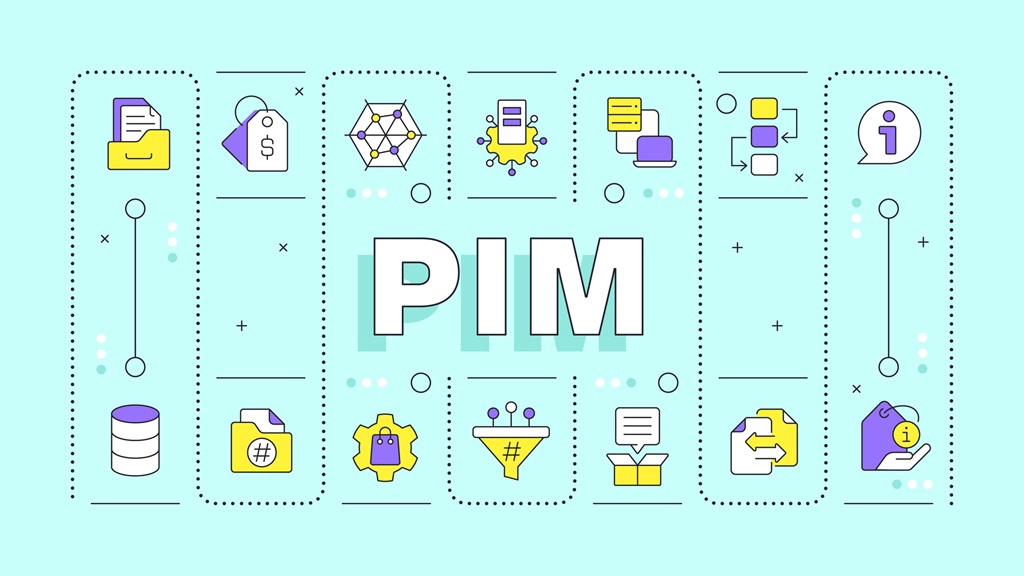
Commerce 365 for Adobe comes with a complete PIM system that covers all your needs.

Multistore / multicurrency
Commerce 365 supports Adobe's multistore mechanism.

Hyvä Enterprise compatibility
Commerce 365 for Adobe is fully compatible with Hyvä Enterprise.
Fully integrated ecommerce platform
Commerce 365 for Adobe Commerce provides a seamless integration between Adobe Commerce and Microsoft Dynamics 365 Business Central. Manage your products, pricing, customers, and orders directly in your ERP while Commerce 365 automatically synchronises your data with Adobe Commerce. No complex mappings, no custom integrations, and no manual data transfers, just a reliable, real-time connection out of the box.
Manage your online catalog
Product Information Management
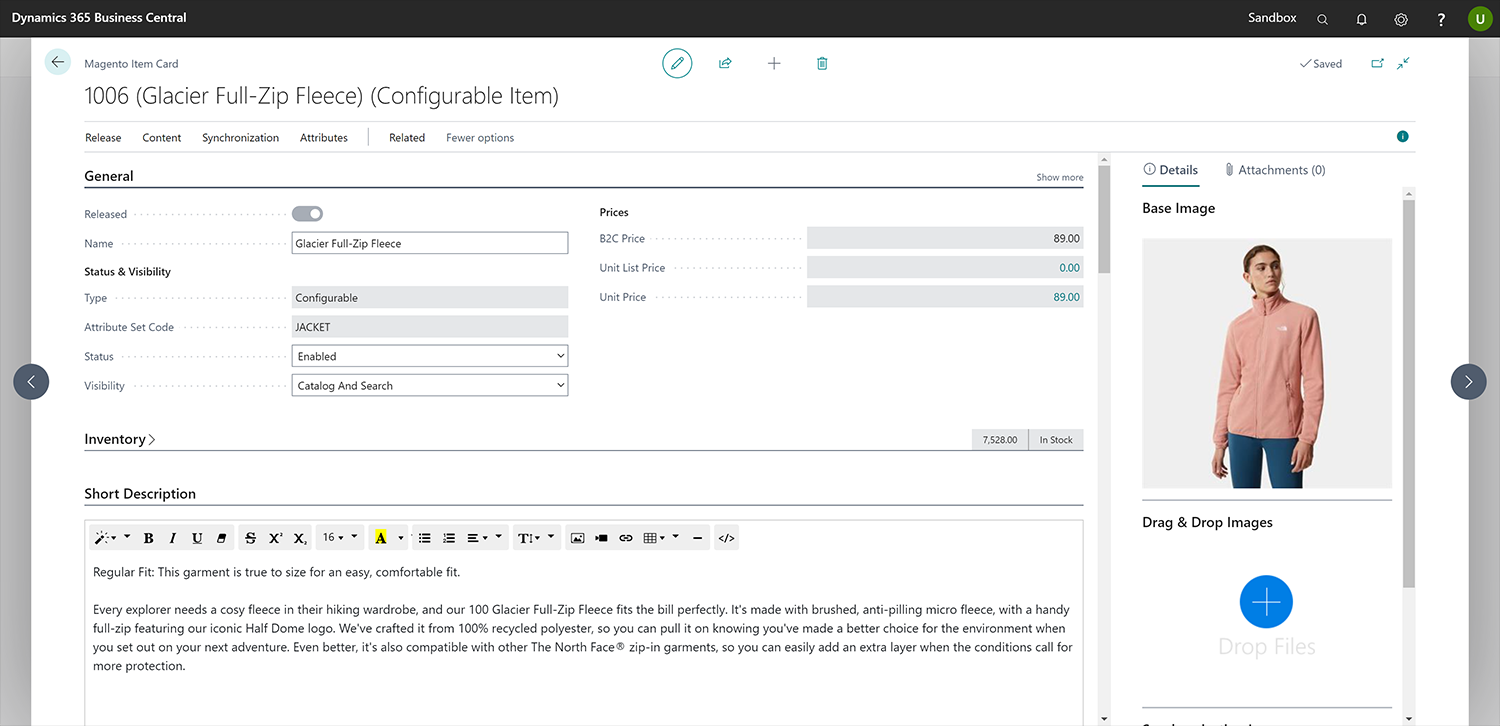
Commerce 365 for Adobe Commerce includes a powerful Product Information Management (PIM) solution built directly into Business Central. Manage rich product content, images, videos, documents, and multilingual descriptions from a single platform, eliminating the need for a separate PIM system.
Easily organise your online catalog with intuitive category management and maintain complete control over Adobe Commerce product attributes, configurable products, and custom attributes. Everything is managed in Business Central and synchronised automatically with your Adobe Commerce store.
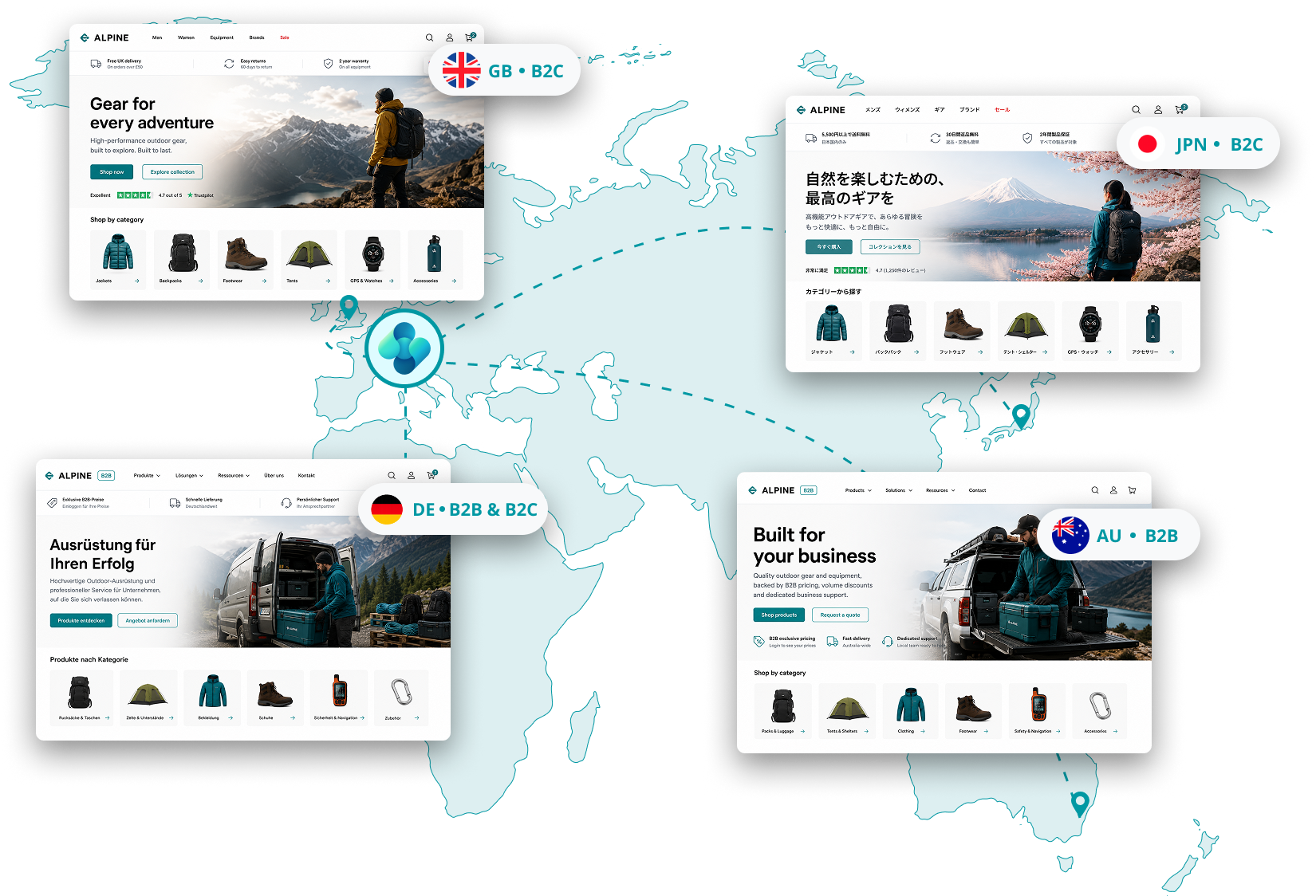
Centralized control for different markets
Multiple stores and brands, one system for unified operations
Adobe Commerce is built for organisations managing multiple brands, regions, and customer segments. Commerce 365 for Adobe makes all these multistore functionalities available in Business Central.

Full support for Adobe Commerce's multisite and multistore architecture.
Manage multiple B2B and B2C storefronts in different languages, currencies, and markets.
Configure each storefront individually with its own product assortment, price lists, customer groups, and order processing.
Whether you're expanding internationally or managing multiple brands, Commerce 365 helps you streamline operations while delivering a consistent customer experience across every Adobe Commerce storefront.
Enrich your product data
Attributes & attribute sets
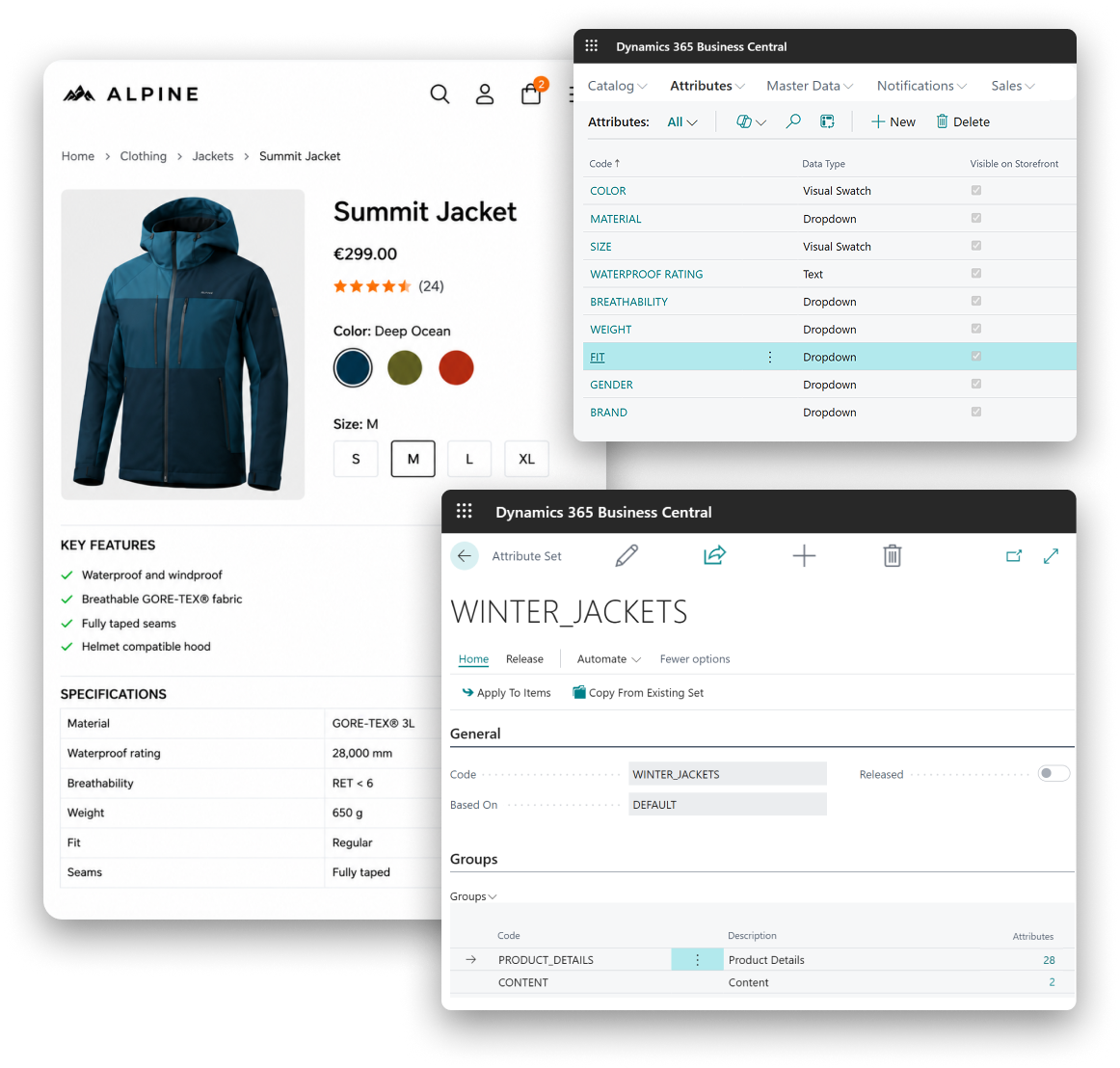
Adobe Commerce is built around attributes. Products, categories, and customers are all defined using attributes, making them the foundation of your product catalog and storefront.
With Commerce 365, you can manage Adobe Commerce attributes directly from Microsoft Dynamics 365 Business Central. Create new attributes, organise them into attribute sets, and define how they should be used. Decide whether an attribute should be displayed on the storefront, used as a product filter, or remain hidden for internal processes such as stock management.

Dekker Hout
A best-of-breed architecture: Dekker Hout chooses Adobe Commerce & Commerce 365
Drag & drop enabled
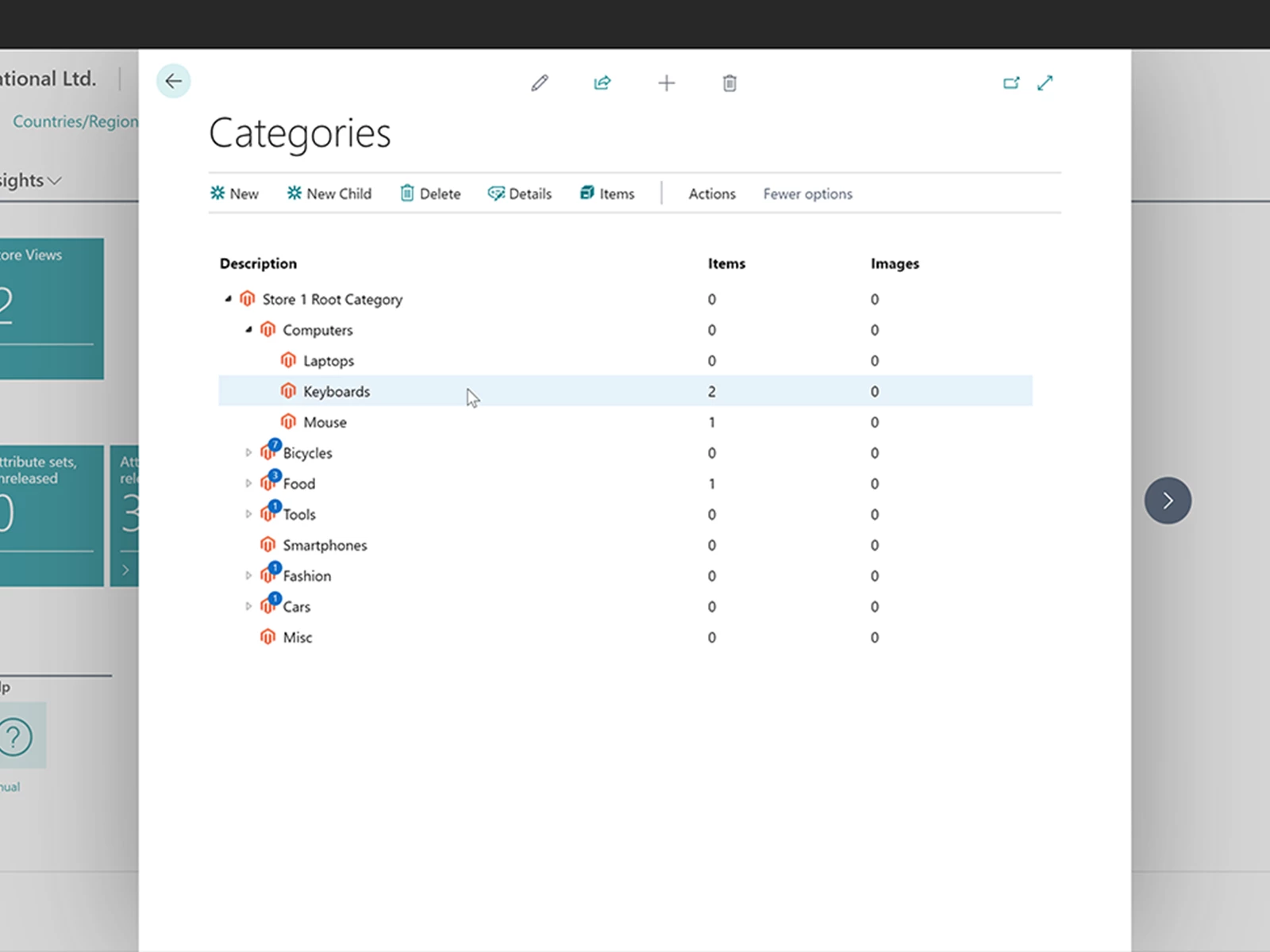
Category management
Manage your Adobe Commerce category structure directly from Business Central with an intuitive drag-and-drop interface. Create new categories, reorganise your catalogue, and assign products without leaving your ERP.
If you want to automate category management, Commerce 365 also includes an internal API. This allows developers to create or update categories and product assignments based on your own business rules, making it easy to integrate category management into existing processes.
Fully automated order processing
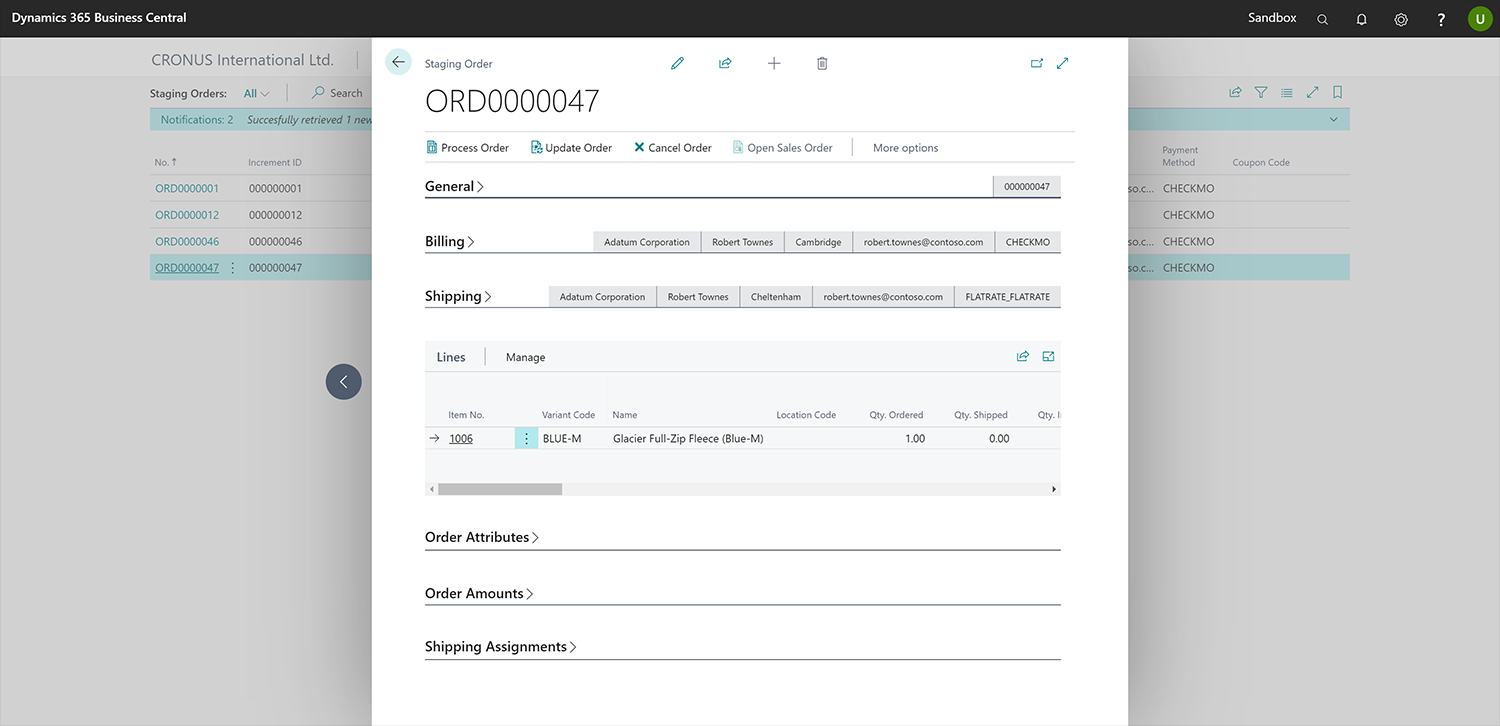
Web order management automation
Import web orders into Business Central automatically and in real time. Decide whether orders should be reviewed before being converted into sales orders or processed automatically, depending on your business processes.
Extend the checkout with customer and order attributes, allowing customers to add information such as delivery dates, reference numbers, or order comments. Additional data collected during checkout is transferred directly to Business Central.
When an order is shipped or invoiced in Business Central, Commerce 365 automatically updates the order status in Adobe Commerce, ensuring both systems remain synchronised.
Invite existing customers & attract new ones
Customer account management for B2B and B2C
Invite existing customers to activate their online account, allow new customer registrations, or automatically create new customer records in Business Central using customer templates. You can configure the registration process for each Adobe Commerce store individually, making it easy to support different business models, customer groups, or markets.
Custom attributes for personalized experiences
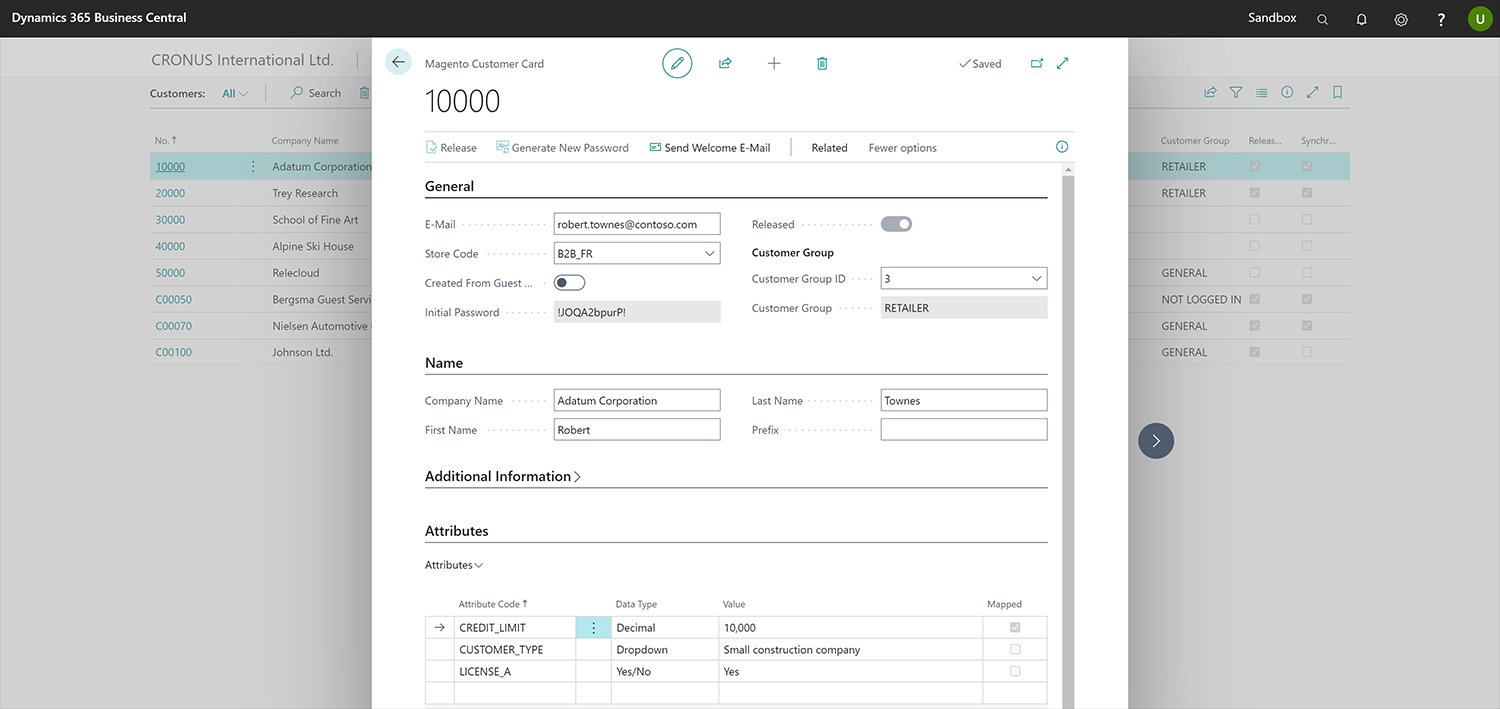
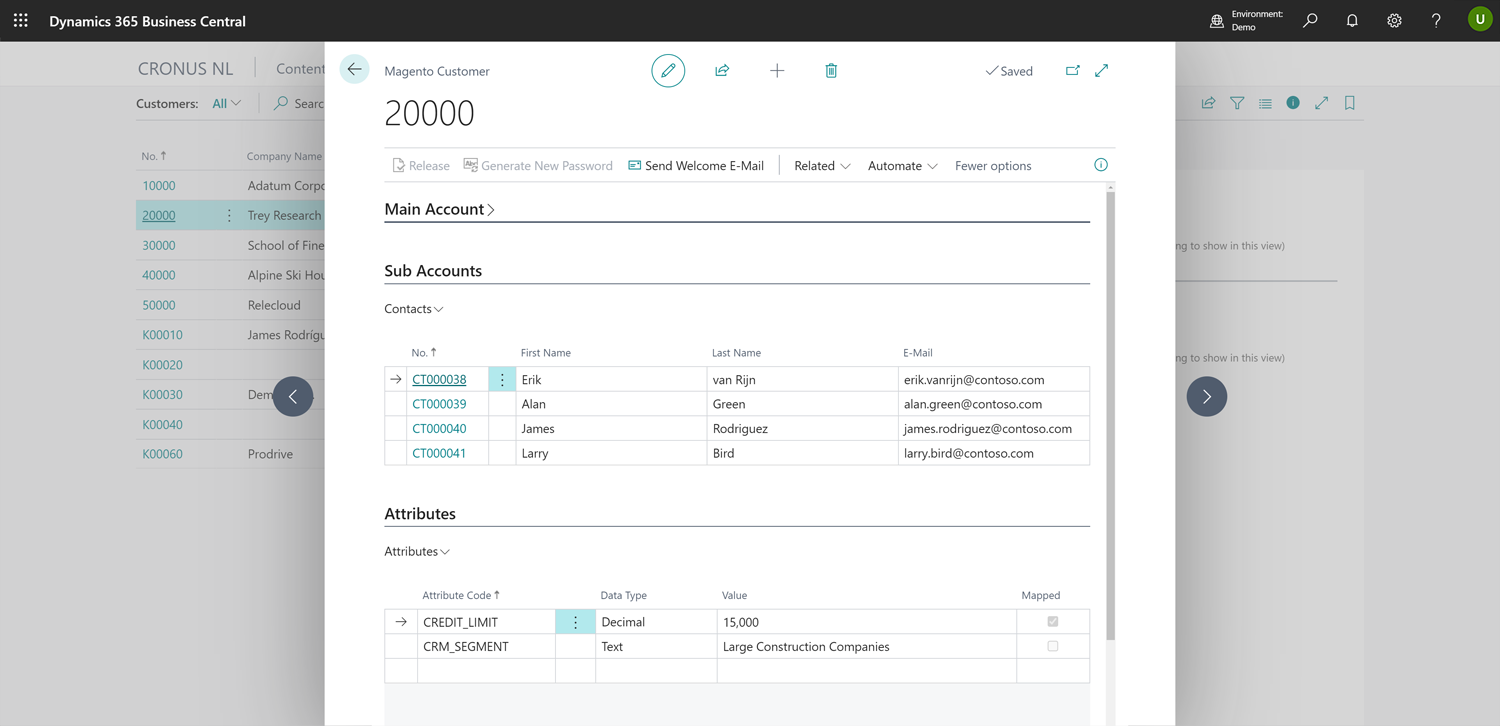
Commerce 365 supports customer attributes alongside the standard customer data available in Adobe Commerce. Use these attributes to store additional customer information, enable store-specific functionality, or pass segmentation data between Adobe Commerce and Business Central.
For example, customer attributes can be used to offer payment methods based on Business Central credit limits or to support personalised pricing and customer-specific shopping experiences.
Built-in B2B functionality
Key B2B functionalities
Avanced pricing & discounts: Offer customer-specific pricing, customer group pricing, and tiered discounts using your Business Central price lists.
Sales document history: Give B2B customers instant access to their complete sales history, including quotes, orders, invoices, shipments, and credit memos, as soon as they activate their online account — even for previous offline purchases.
Sub-accounts: The B2B module allows you to create sub-accounts, enabling multiple users to operate under a single company account while maintaining full control over roles and permissions.
Free consulting session
Get started and download Commerce 365 for Adobe from Microsoft Marketplace for a 30-day free trial.
Do you want to explore the possibilities for your organization? Feel free and book a 1-hour consulting session with one of our product specialists.